
CENTRAL CONTROL
Live Production Software & Automation
Streamline your entire production with powerful control, automation, and device integration — from simple setups to full-scale broadcast environments.
Control Your Entire Production.
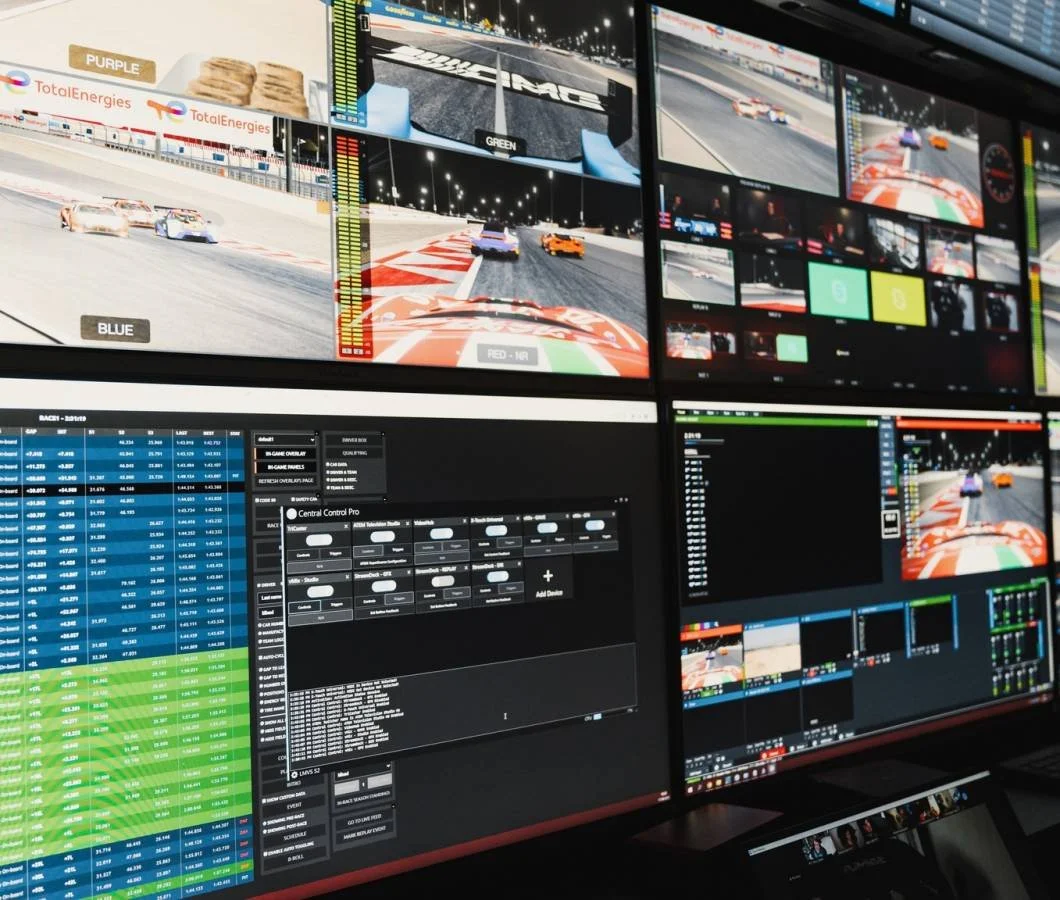
Connect your production tools, automate complex workflows, and put complete control at your fingertips with Central Control. From compact streaming setups to advanced broadcast environments, Central Control brings your devices and software together in one powerful platform.
One Platform. Total Control.
Central Control brings your production hardware and software together into a single, flexible control environment. Build custom workflows, automate repetitive actions, and create a control system that works exactly the way your production requires.
Device Control
Connect and control production devices, software platforms, PTZ cameras, switchers, graphics systems, controllers, and more from one unified interface.
Workflow Automation
Build triggers, macros, rundowns, and automated workflows that turn complex production sequences into fast, repeatable actions.
Production Integration
Bring your existing production ecosystem together instead of replacing it. Central Control acts as the control layer between the tools you already use.
Flexible Scaling
Start with a compact control setup and expand into more advanced broadcast workflows with Studio and Studio MAX as your production needs grow.
Find the Right Level of Control.
From streamlined device control to advanced broadcast automation, Central Control gives you the flexibility to choose the feature set that best matches your production workflow.
INTRO
A streamlined entry point for smaller production environments and essential device control.
- 5 Device Instances
- Layers
- Rapid Control Mapping
- Automatic Feedback Mapping
- API
- Global Variables
STUDIO
Advanced production control and automation for professional broadcast, live production, and streaming workflows.
- Unlimited Device Instances
- All Intro Features
- Command Splitter
- Triggers
- Pro Devices
- SuperSource Animator
- Rundown System
- Flex Macros
STUDIO MAX
The complete Central Control experience for advanced broadcast environments and complex production systems.
- Unlimited Device Instances
- All Pro Features
- 4K Low Latency Video Monitoring
- Teleprompter
- WebPanel
- PTZ Control
- Command Delegator
- Elite Devices
- NDI Output
More Control.
Less Complexity.
Central Control gives operators the tools to simplify repetitive tasks, coordinate devices, and build more efficient production workflows. From automation and rundowns to PTZ control and remote interfaces, everything is designed around giving your team faster, more flexible control.
Rundown System
Organize production cues and actions into structured rundowns, giving operators a straightforward way to move through complex shows and repeatable workflows.
Flex Macros
Combine multiple commands and production actions into powerful macros that simplify complex sequences and reduce repetitive operator input.
Automated Actions
Build responsive workflows that activate commands and actions based on events throughout your production environment.
PTZ Control
Bring compatible PTZ camera control directly into your Central Control workflow for faster access to camera movement, positioning, and production commands.
WebPanel
Extend production control through browser-based interfaces, providing flexible access to commands and workflows beyond the primary operator station.
Advanced Video Tools
Studio MAX expands the platform with 4K low-latency video monitoring and NDI output for more advanced broadcast and distributed production environments.
Connect the Tools You Already Use.
Central Control is designed to work across the modern production ecosystem, bringing hardware, software, cameras, control surfaces, graphics, and automation together inside one unified workflow.
Video Switchers
Bring switcher control into the same workflow as the rest of your production tools.
PTZ Cameras
Integrate camera movement, presets, and production commands into streamlined operator workflows.
Control Surfaces
Turn physical controllers and button panels into flexible interfaces for the tools you use most.
Graphics Systems
Tie graphics actions into macros, rundowns, and other production sequences.
Streaming Software
Coordinate streaming applications alongside hardware-based production systems.
Lighting Systems
Extend control beyond video by integrating supported lighting workflows into your production environment.
NDI Workflows
Support modern IP-based production environments with integrated NDI tools and routing capabilities.
Custom Workflows
Use APIs, variables, macros, and automation tools to build workflows around your exact production requirements.
Whether you're building a compact streaming setup or a larger multi-device production environment, Central Control helps turn separate systems into one coordinated control experience.
Built for the Next Generation of Production.
Central Control 6 expands the platform with a more powerful, flexible approach to modern production control. Build faster workflows, simplify operator interaction, and bring even more of your production environment into one unified system.
Build a Smarter Production Workflow.
Whether you're upgrading an existing control environment or building a new production system, Central Control gives you the flexibility to connect more tools, simplify operation, and create workflows around the way your team actually works.