
CENTRAL CONTROL
Live Production Software & Automation
Streamline your entire production with powerful control, automation, and device integration — from simple setups to full-scale broadcast environments.
What is Central Control?
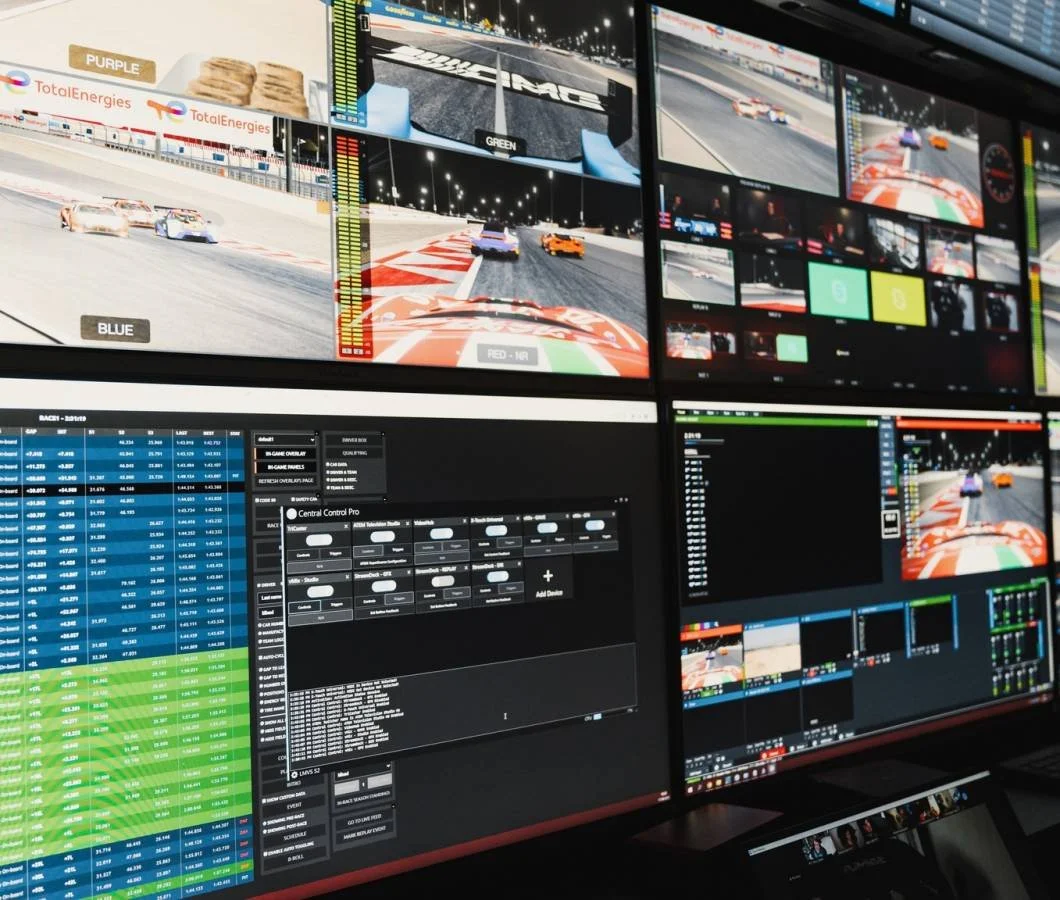
Central Control is a powerful live production control software designed to integrate with platforms like vMix, allowing operators to automate workflows, control multiple devices, and streamline complex productions from a single interface.
Whether you're managing a small church stream or a multi-camera broadcast, Central Control provides scalable tools to simplify your setup and reduce operator workload.
Intro
- 5 Device Instances
- Layers
- Rapid Control Mapping
- Automatic Feedback Mapping
- API
- Global Variables
Best for: Small setups, churches, and single-operator productions
Get a QuoteStudio
- Unlimited Device Instances
- All Intro Features
- Command Splitter
- Triggers
- Pro Devices
- SuperSource Animator
- Rundown System
- Flex Macros
Best for: Multi-camera workflows and more advanced production teams
Get a QuoteStudio MAX
- Unlimited Device Instances
- All Pro Features
- 4K Low Latency Video Monitoring
- Teleprompter
- WebPanel
- PTZ Control
- Command Delegator
- Elite Devices
- NDI Output
Best for: Broadcast studios and complex live production setups
Talk to an ExpertCompare Central Control Versions
Why Choose Central Control for Live Production?
Central Control helps simplify complex live production workflows by bringing devices, triggers, automation, and operator tools into one streamlined system. Whether you are running a small vMix setup or a larger multi-camera environment, it gives your team more control with less manual work.
Centralized Control
Manage key production functions from one interface instead of bouncing between separate control points.
Workflow Automation
Reduce repetitive manual actions with triggers, macros, mapping tools, and advanced production logic.
Scalable for Any Setup
Start with a simple configuration and expand into more advanced workflows as your production needs grow.
Built for Real Operators
Designed for live production environments where speed, consistency, and reliability matter.
Common Use Cases
Live Production Automation
Automate repetitive actions using triggers, macros, and streamlined workflows to reduce manual operation.
Device Integration
Control multiple connected devices from one interface, improving efficiency across your entire setup.
PTZ Camera Control
Manage PTZ presets and camera movements directly within your workflow for smoother productions.
Teleprompter Tools
Enhance presentations and live productions with integrated teleprompter functionality in higher tiers.
4K Low Latency Monitoring
Maintain visibility and control with low latency video monitoring for more advanced environments.
Flexible Scaling
Start simple and expand your system as your production grows with multiple tier options.
Uses For Central Control
Central Control fits a wide range of live production environments, helping teams simplify workflows, improve consistency, and scale from straightforward streams to more advanced productions.
Houses of Worship
Support more reliable live services with streamlined control that helps volunteer teams reduce missed cues and operate with more confidence.
- Trigger graphics more consistently
- Recall PTZ camera presets quickly
- Reduce manual switching during services
Corporate & Live Events
Create more repeatable event workflows for presentations, hybrid events, and live productions that need tighter coordination across cues and devices.
- Coordinate transitions and event cues
- Manage multiple connected devices
- Build a more structured show flow
Broadcast & Studio Production
Give operators stronger control in more advanced environments where speed, reliability, and scalability matter across multi-camera productions.
- Support more complex production workflows
- Expand automation across operators
- Simplify higher-end live productions
Central Control Example Workflow
See how Central Control can help bring devices, cues, and production actions into one more streamlined workflow.
Build Your Show Flow
Create a more organized workflow for cues, transitions, and recurring production actions.
Connect Devices
Bring supported devices and production tools into one centralized control environment.
Automate Key Actions
Use triggers, macros, and mapping tools to reduce repetitive manual steps during live production.
Execute With Confidence
Run more consistent productions with improved control over cues, timing, and device coordination.
Scale As You Grow
Expand into more advanced workflows with higher tiers, additional tools, and broader production capabilities.
Example: A church or event team can use Central Control to coordinate cues, recall PTZ presets, trigger graphics, and streamline production actions from one more efficient workflow.